Free marketing tools help small businesses launch faster, test ideas, and grow without heavy upfront costs. This guide curates reliable options for design, social media, SEO, email, analytics, CRM, and more. For extra strategy tips and playbooks, explore MCSmart Marketing.
10 free marketing tools small businesses should know
Picking the right mix starts with simple, proven platforms that solve core jobs. The tools below cover planning, production, distribution, and measurement. Use them to build a lean stack of free marketing tools that can scale as you grow.
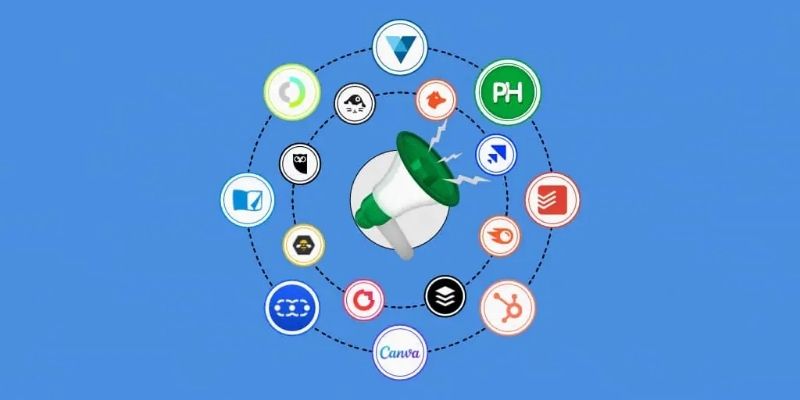
Content and visual design tools
Canva and Adobe Express let non‑designers create on‑brand graphics, short videos, and templates in minutes. Their free plans include stock elements, brand colors, and social‑ready sizes. Pair them with Unsplash or Pexels for royalty‑free images. These free marketing tools cut creative time while improving visual consistency.
Social media management tools
Buffer’s free plan supports scheduling for a few channels with a clean calendar view. Meta Business Suite lets you plan, publish, and reply across Facebook and Instagram at no cost. Crowdfire and Publer offer basic queues and analytics for smaller profiles. Start with the platform your audience uses most, then add others as you prove ROI.
Keyword research tools
Google Keyword Planner helps you discover search demand and cost estimates straight from Google’s ads data. Google Trends reveals seasonality and interest by region to guide timing and targeting. AnswerThePublic surfaces question‑based topics for blogs, videos, and FAQs. Combine volumes, trends, and queries to focus content on real user intent and free marketing tools that validate it quickly.
Email marketing tools
Mailchimp’s free tier is solid for small lists and onboarding automations. Brevo (formerly Sendinblue) offers a free plan with daily sending limits and unlimited contacts, ideal for frequent updates. MailerLite’s free plan supports landing pages, automation, and basic templates. These platforms handle signups, segmentation, and compliance while keeping costs at zero.
Website analytics tools
Google Analytics 4 tracks traffic, engagement, funnels, and conversions across web and apps. Google Search Console uncovers queries, rankings, and indexing issues for SEO. Microsoft Clarity provides heatmaps and session recordings to see where users struggle. Together, they deliver the insights you need without paid add‑ons or overlapping trackers among free marketing tools.
Content management tools
WordPress.com’s free plan is a flexible CMS for blogs and small sites with numerous themes. Notion helps you centralize briefs, drafts, assets, and approvals in one workspace. Trello keeps your editorial workflow organized with boards, lists, and deadlines. Use a CMS to publish and a project tool to keep teams aligned and shipping on time.
Post scheduling tools
Meta Business Suite handles scheduled posts and stories across Facebook and Instagram, plus a basic inbox. Buffer’s free queue makes it easy to spread content through the week. Publer’s free plan adds bulk uploads and link previews on supported networks. Automating cadence lifts reach and saves hours, especially when paired with other free marketing tools.
Landing page builders
Carrd lets you ship sleek one‑page sites with forms and custom domains on paid tiers; the free plan is great for MVPs. MailerLite’s free landing pages tie lead capture directly to your email list. HubSpot’s free landing pages connect forms, CRM contacts, and follow‑ups. Launch fast, test offers, and refine copy before investing in custom builds.
Customer relationship management (CRM) tools
HubSpot CRM’s free core includes contacts, deals, activity timelines, and email logging. Zoho CRM offers a free plan for small teams to manage leads and pipelines. Capsule CRM’s free tier is a lightweight option for simple contact tracking. Linking CRM with your forms and email unlocks lead nurturing without extra spend on free marketing tools.
Marketing performance analysis tools
Looker Studio (formerly Data Studio) builds free dashboards from GA4, Sheets, and more. Bitly’s free plan tracks link clicks and helps compare channel performance. Google’s Campaign URL Builder standardizes UTMs so every visit is traceable. Clean tagging plus clear dashboards ensures your free marketing tools contribute to decisions, not just data.
How to choose the right marketing tools for small businesses
Start with goals, budgets, and team capacity, then map tools to jobs to be done. Favor integrations and clear workflows over long feature lists. This ensures your stack of free marketing tools stays lean, stable, and effective.

Define your marketing needs
List your top three outcomes, such as leads, sales, or retention. Identify gaps blocking those outcomes, like content production or analytics. Select tools that directly remove those blockers first. Nice‑to‑have features can wait until results justify upgrades.
Prioritize ease of use
Simple interfaces reduce training time and errors for small teams. Choose tools with good templates, walkthroughs, and community support. Test on real tasks during a short trial to confirm fit. Fast adoption beats complex features you will never use.
Combine tools for better outcomes
Link landing pages to email and CRM so every lead is captured and nurtured. Sync analytics with dashboards to view traffic, conversions, and revenue together. Use scheduling to ensure a steady publishing rhythm. Smart connections make free tools punch above their weight.
Notes when using free marketing tools
Free plans are perfect for validation, but they come with trade‑offs. Watch storage limits, branding, and integration caps as usage grows. Plan upgrades only when the ROI is clear and measurable with your marketing tools.

Understand free plan limits
Most free tiers restrict users, contacts, or monthly actions. Some add watermarks or remove advanced features like A/B testing. Track when you bump up against limits that hurt performance. Upgrade only the bottleneck, not the whole stack.
Protect data security
Enable two‑factor authentication on all accounts and use strong, unique passwords. Limit user access by role and review permissions quarterly. Check each vendor’s privacy policy and data location. Document your stack so handoffs stay secure, even as marketing tools change.
Track performance and adjust
Define KPIs, set benchmarks, and review them on a weekly or monthly cadence. Use UTMs to attribute results to campaigns and channels. Replace tools that create friction or unclear data. Keep your stack focused on outcomes, not features, as MCSmart Marketing often advises.
Conclusion
With the right mix of free marketing tools, small businesses can design, distribute, and optimize campaigns with confidence. Start lean, connect your stack, and let data guide upgrades. Simplicity and consistency win over complexity every time. Build momentum now, then scale the tools that prove their value.